
Introduction
I have been using Linux for a long time. However, due to the nature of my occupation, I haven’t used Linux at work much hence Beckhoff Linux has been a new thing to me. It was fun playing with it recently and it has given quite a few Aha moments.
In this article, I’ll be introducing the process of hosting a Modbus TCP server on an IPC running Beckhoff Linux.
To get a Beckhoff Linux IPC up and running, you can refer to my previous post.
Install the Modbus TCP Server
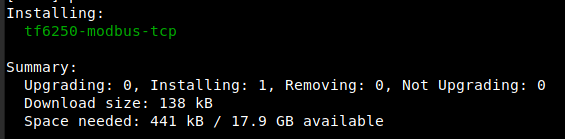
In Bechoff Linux, all TwinCAT packages can be managed by the APT (Advanced Package Tool). The Modbus TCP Beckhoff package is the TF6250. Use the below command to install the Modbus TCP server.
sudo apt install tf6250-modbus-tcp
If everything goes well, you should see a response like below.
Configure the Modbus TCP Server
After installing the TF6250, you will have all you need for the Modbus TCP server under the TwinCAT directory:
/etc/TwinCAT/Functions/TF6250-Modbus-TCP/Server/
In this directory, you will see 2 files. TcModbusSrv is the program that will configure the Modbus TCP server just like the one that you will use in Windows. But you don’t need to mess with it. What you will be interested in is the other file: TcModbusSrv.xml.sample. Use the below command to create a copy of it for the Modbus TCP service.
sudo cp /etc/TwinCAT/Functions/TF6250-Modbus-TCP/Server/TcModbusSrv.xml.sample /etc/TwinCAT/Functions/TF6250-Modbus-TCP/Server/TcModbusSrv.xml
For testing I’ll just leave the file as it is. If you are working on a specific project, you may want to adjust the file. It is the same file that you will use for a Windows runtime so I’ll not go further about it.
Create the TwinCAT 3 Tags
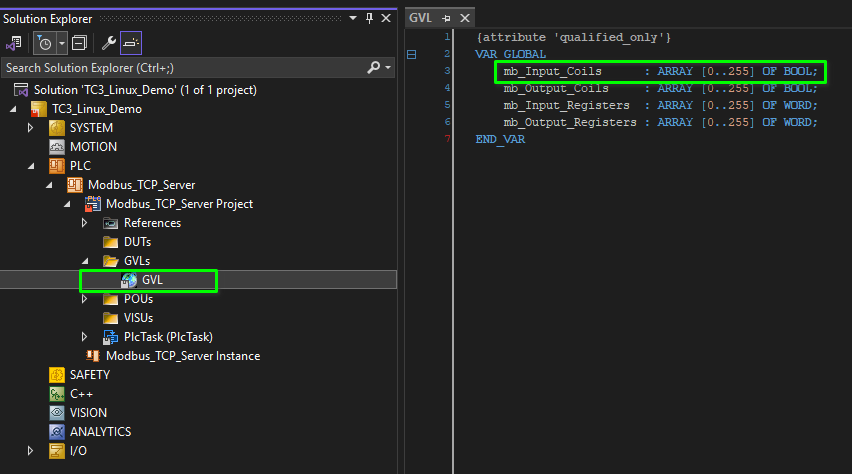
Under the TC3 PLC project, create a global tag list and create the below tags.
VAR_GLOBAL
    mb_Input_Coils      : ARRAY [0..255] OF BOOL;
    mb_Output_Coils     : ARRAY [0..255] OF BOOL;
    mb_Input_Registers  : ARRAY [0..255] OF WORD;
    mb_Output_Registers : ARRAY [0..255] OF WORD;
END_VAR
Note that the tag list name, tag names and length should match the information in the TcModbusSrv.xml.
For example, below I have create the tag list GVL and put the mb_Input_Coils as an array of 0 – 255 bools.
In the TcModbusSrv.xml, the respective mapping is below.
<MappingInfo>
    <AdsPort>851</AdsPort>
    <!-- Modbus Address 32768 = 0x8000 -->
    <StartAddress>32768</StartAddress>
    <!-- Modbus Address 33023 = 0x80FF -->
    <EndAddress>33023</EndAddress>
    <VarName>GVL.mb_Input_Coils</VarName>
</MappingInfo>
The VarName must match the actual tag list and tag name to make the server work.
Configure the Linux Firewall
By default, Modbus TCP uses TCP and port 502. However, Linux firewall closes port 502 by default. To allow remote Modbus client access the server, we need to open TCP 502 port.
Use the below command to create a new firewall rule for the Modbus TCP communication.
sudo nano /etc/nftables.conf.d/60-modbus.conf
Then in the file, write the below configuration.
table inet filter {
    chain input {
        tcp dport 502 accept
    }
}
Then use the below command to apply the firewall rule.
sudo systemctl reload nftables
To check if the firewall rule has been applied, use the below command.
sudo nft list ruleset
If the rule is applied successfully, the output of the command should include the below rule.
tcp dport 502 accept
The Linux firewall has been successfully configured.
Start the Server and Test
In TwinCAT 3, generate a temporary license for TF6250 and activate the configuration.

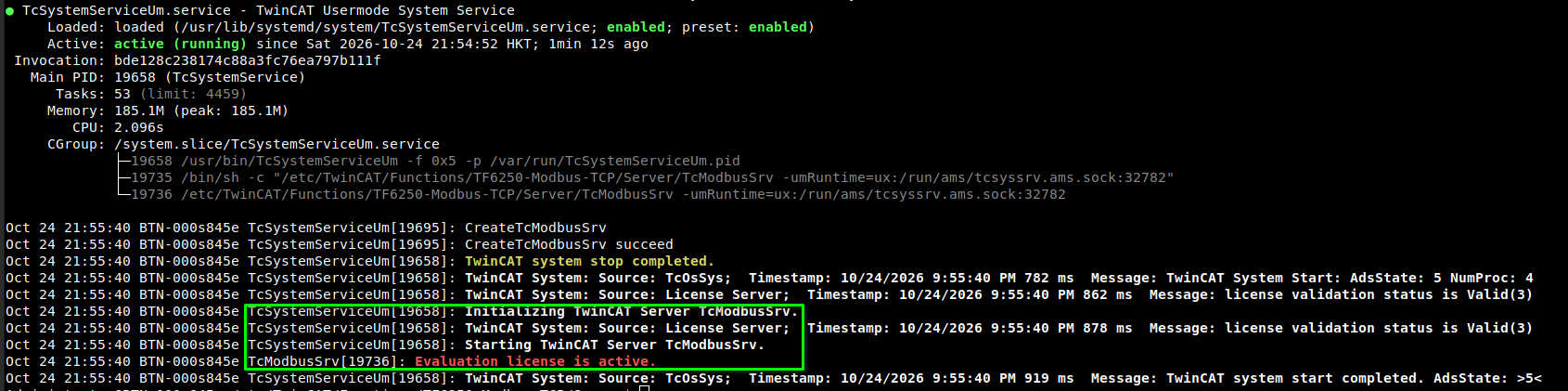
If everything goes well, in the Beckhoff Linux, you can use the below command to check the Modbus TCP server status and it should look like the below screenshot.
sudo systemctl status TcSystemServiceUm
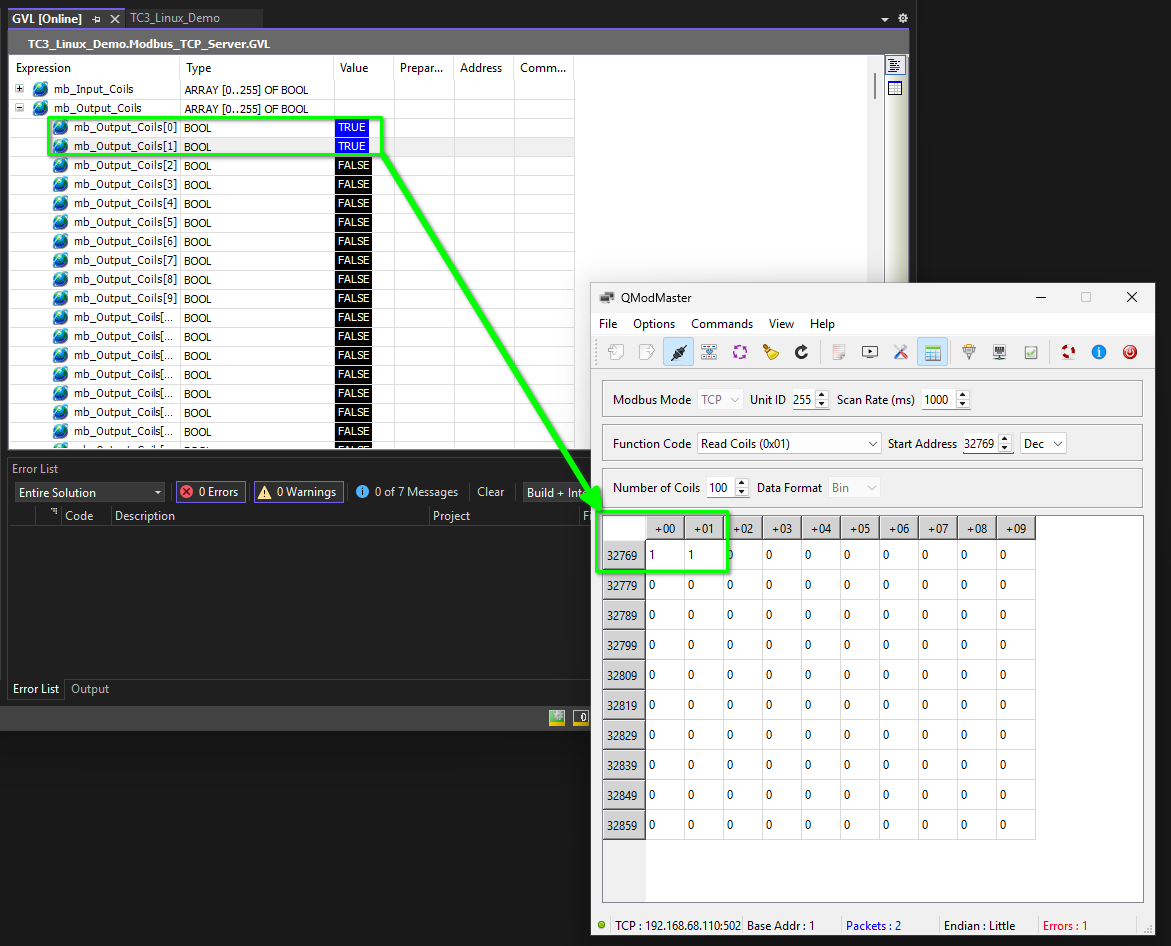
I used the QmodMaster as the Modbus TCP client for this test. For example, the QmodMaster reads the output coils from the TC3 Modbus TCP Server successfully.
Conclusion
This article introduces the process to configure a Modbus TCP server in Beckhoff Linux and test it using QModMaster. Among all the steps, configuring the Linux firewall to allow the Modbus TCP traffic on the system level is quite an uncommon thing for engineers who don’t use PC based automation a lot.