
Introduction
Codesys provides containerized runtime that can be deployed hardware independently with docker support. This offering is perfect for control software developers to use cost effective hardware to develop and verify high performance applications.
This article introduces the process to run a Codesys virtual controller on a Debian 13 Virtual Machine.
The Benefit of Using Codesys Virtual Controllers
There are a few strong arguments that make Codesys virtual controller very attractive.
Hardware Independent
Technically, hardware independent is not a challenge to most of the PC based automation providers like Beckhoff and B&R. However, their business model blocks them from providing the option. Luckily, Codesys has a completely different business approach hence providing a hardware independent virtual controller is a reality with Codesys.
Safety in Software
I spent quite some time to research other automation system providers’ safety controller options but eventually gave up because they don’t want to let go the lucrative safety controller business and give us a software based safety controller.
Until I looked at Codesys Virtual Safety Controller. It allows us to program safety controller on generic hardware and control safety devices using communication. This is exactly what I want for ages.
High Performance Industrial Ethernet
There are other options that can do similar things to Codesys virtual controllers. However, some of them are locked with certain hardware and others lack the support of modern industrial Ethernet capabilities like PROFINET, Ethernet IP and EtherCAT. Codesys virtual controllers allow you to use any hardware to communicate in these protocols as long as the hardware has the capabilities.
Containerized Controller
The Codesys virtual controller is a containerized application that can be easily deployed in a docker environment. This allows very efficient PLC instances deployment with identical configurations. Docker allows much higher hardware usage. Also, You can easily manage the instances and let them access other applications deployed in the same virtual machine / bare metal machines.
Hello World Project with Codesys Linux Virtual Controller
Below I’ll walk through the process to deploy a Codesys Linux virtual controller on a Debian 13 virtual machine. My Codesys also lives in a VirtualBox virtual machine and they talk to each other via VirtualBox’s NAT Network.
Creating the Virtual Machine
Create the virtual machine is a very standardized process. Instead of detailing the process, I’ll just mention that I used VirtualBox with Debian 13. Nothing special.
Install Supporting Packages
Codesys virtual controller requires docker and python to properly run. Use the below command in the virtual machine to install docker. APT will automatically install Python 3 as one of the supporting packages.
sudo apt install docker.io -y
To allow Codesys communicate with the virtual machine, you need to install and enable the SSH server. Use the below command to install the SSH server.
sudo apt install openssh-server
Prepare Codesys
All Codesys packages can be managerd by Codesys Installer.
After getting the installer ready, you can install the latest Codesys.
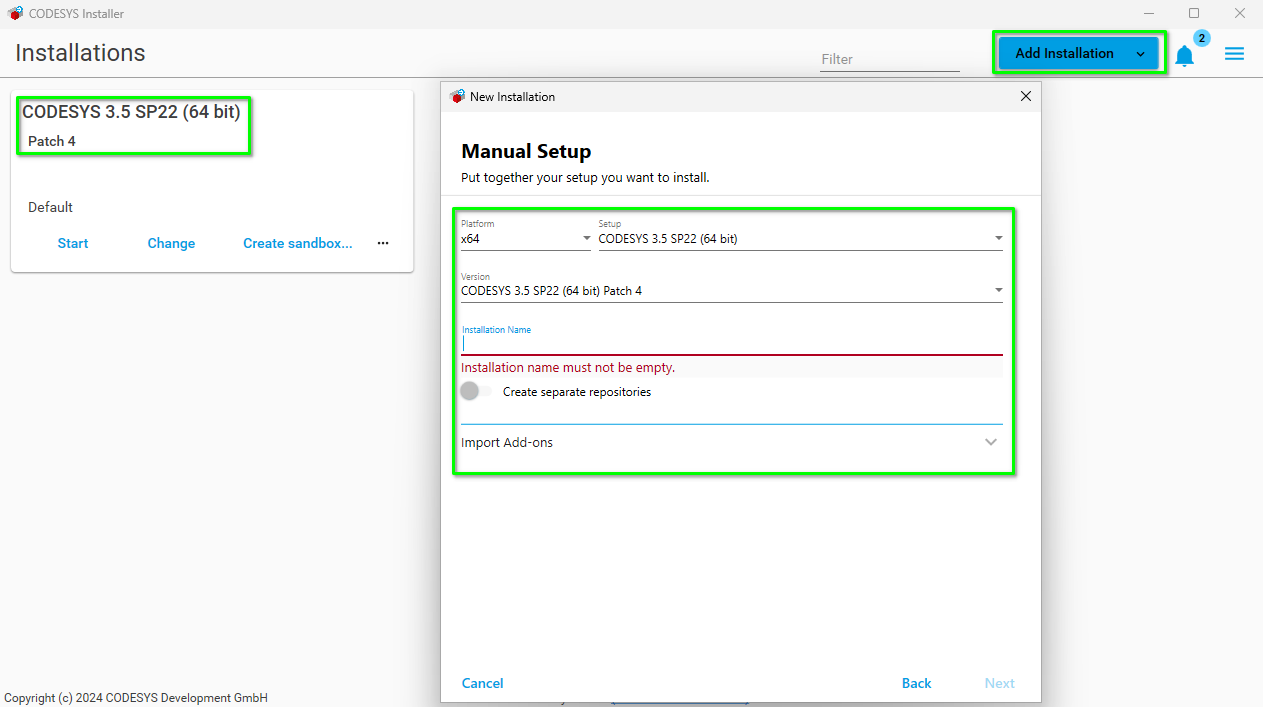
After installing the Codesys, click on the change button of the installed Codesys and install the below add-ons:
- CODESYS Edge Gateway for Linux
- CODESYS Virtual Control for Linux SL
- CODESYS Virtual Safe Control SL
- CODESYS Control SL Deploy Tool Now your Codesys is ready to work with a Codesys Linux Virtual Controller.
Deploy the Edge Gateway and Virtual Controller
Before deploying and working with a Codesys Linux virtual controller, you need to deploy the Codesys Virtual Edge Gateway first. The gateway gives you the connection to the virtual controller you will work on later. My understanding of this design is the gateway and the virtual controllers are connected via the docker internal network and the gateway basically route you to the virtual controllers.
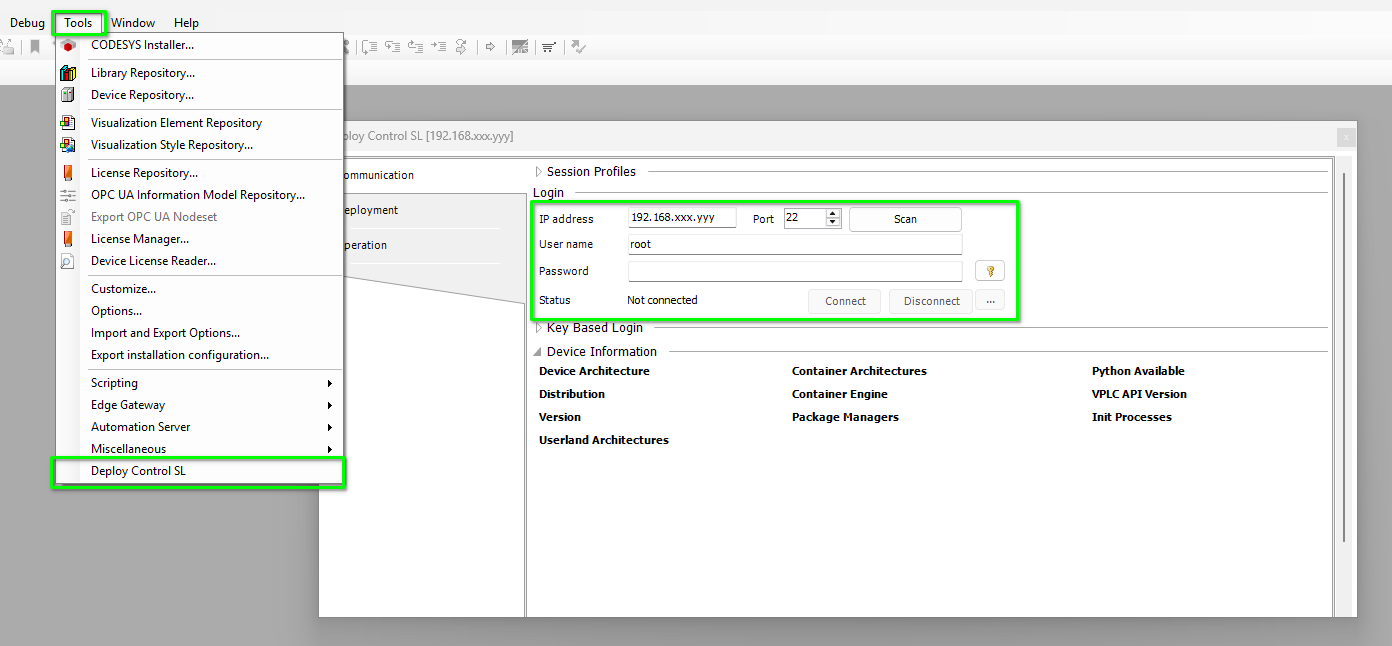
Follow the below screenshot to connect to the Linux system.
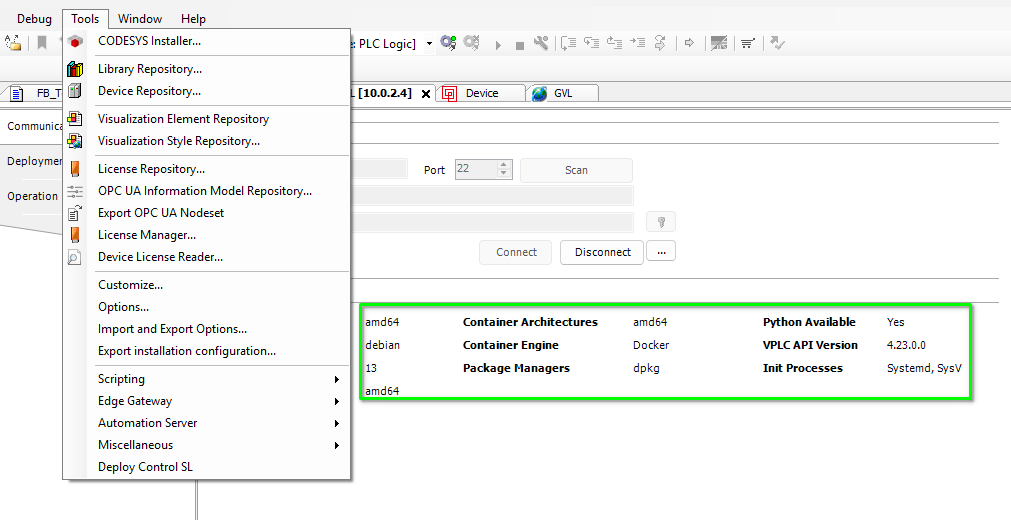
After connected to the virtual machine via SSH, the Codesys deploy tool will show the information about the virtual machine and you can easily verify if the requirements for deploying the virtual controller is fulfilled or not.
You should deploy the below packages.
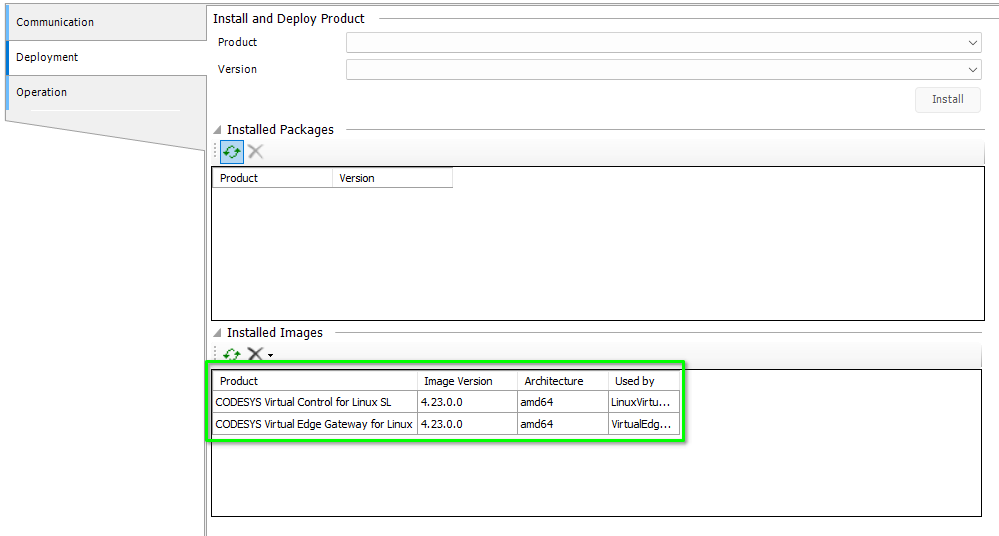
Then start the edge gateway.
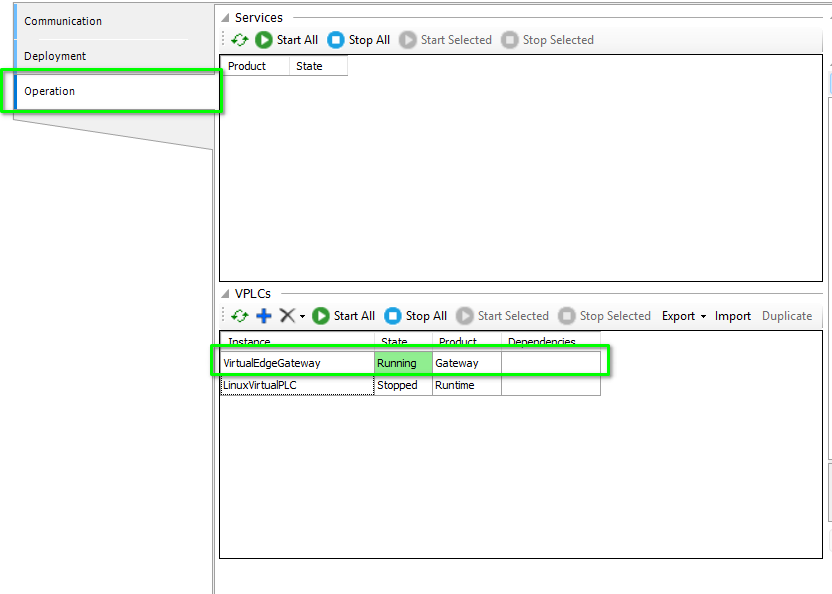
Now you can develop your program and run it in your virtual controller.
Create a Hello World Program
Codesys IDE is very intuitive. If you have some experience with other IDEs, you should be able to pick it up fairly quickly.
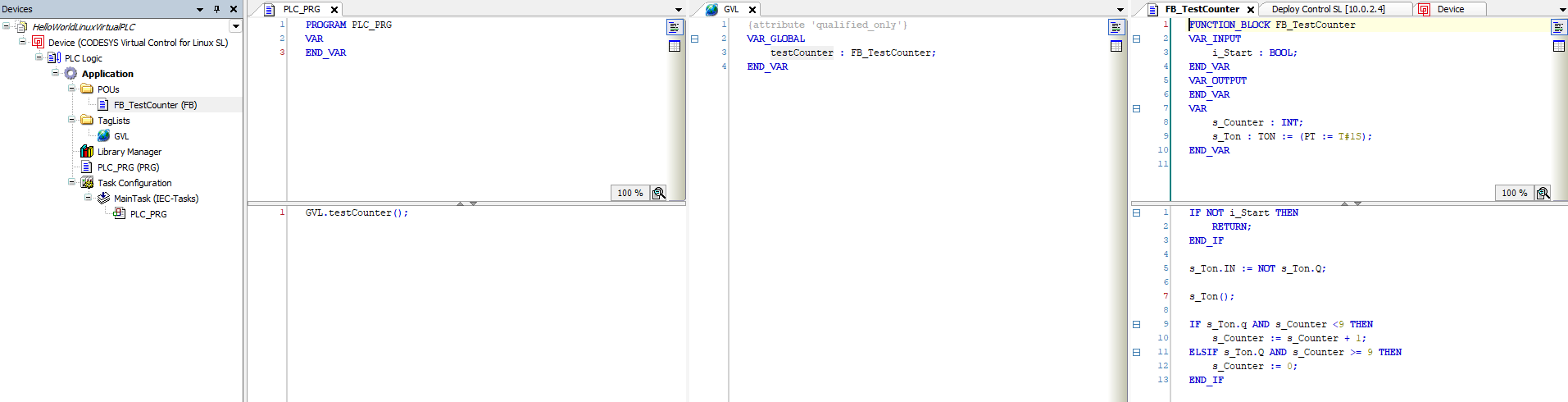
In the below screenshot you can see that I have a test function block FB_TestCounter and in the global variable list there is an instance of it testCounter.
This program will count from 0 to 9 every second if the i_Start bit is true.
Now, all we need to do is configure the gateway information in the project and connect to the Virtual PLC so we can download and run the program.
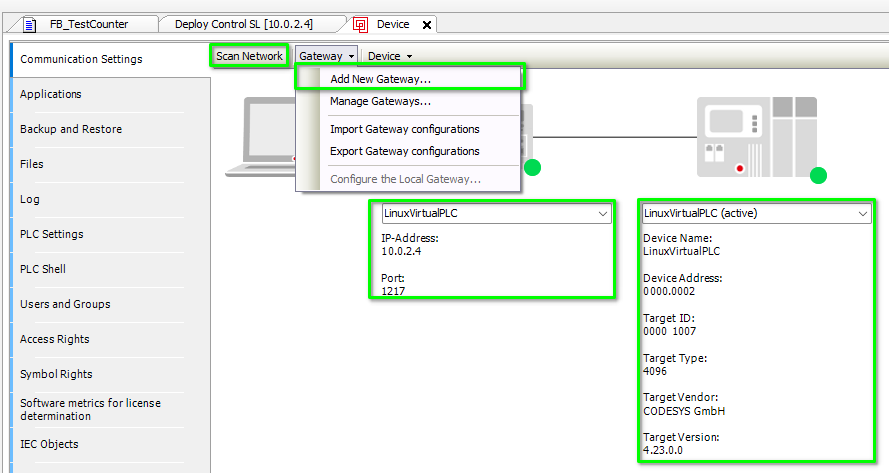
From this point on wards, it will be our daily PLC software development stuff, I’ll stop here,
Conclusion
The Codesys Virtual controllers has some very nice features and can open up quite some great potentials to my work. It has undesirable apects, too. For one, it still uses binaries to store the project files hence native git management is not possible. The git add-on from Codesys is a paid software which is horrible.